Binom Campaign Setup: 6 Steps to Track Affiliates Fast
Quick Answer: Setting up a tracked campaign in Binom takes about 10 minutes and follows six steps: add an affiliate network template, connect a traffic source with tokens, build an offer with {clickid} postback URL, upload a landing page, create a campaign with paths, then copy the final campaign tracking URL into your ad source.docs.
Binom remains one of the fastest self-hosted affiliate tracking platforms for media buyers in 2026, processing clicks in milliseconds with sub-5ms redirect speeds. Beginners often stall on postback URL configuration and click ID token mapping, so a clean setup order saves hours of debugging.
Why Binom Wins for First-Time Media Buyers
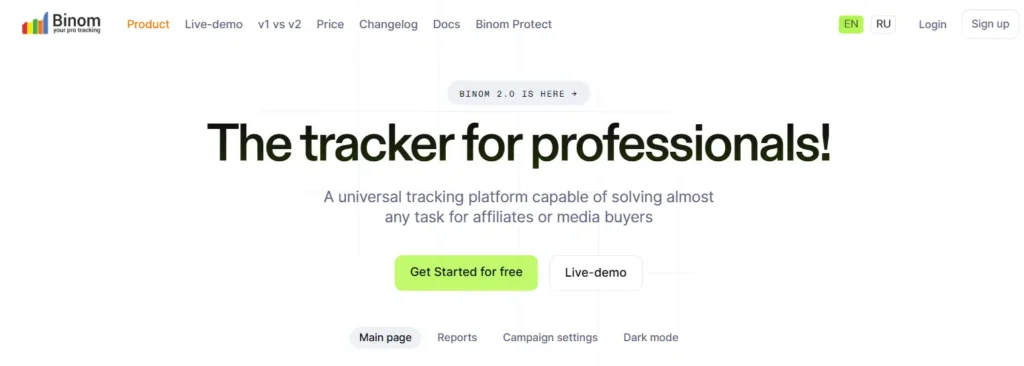
Binom delivers real-time conversion tracking, server-side redirects, and granular reporting that cloud trackers struggle to match.
New users get drag-and-drop campaign paths, plus pre-loaded templates for over 100 ad networks.
Speed matters because Google Ads and Facebook penalise slow redirects. Binom's redirect engine keeps landing page load speed intact, which protects Quality Score and CPC efficiency.

Binom Discount Code for Smarter Media Buying
exclusive
Use Binom coupon code AFFMAVEN to get 40% Off and boost ROI with lightning-fast campaign tracking tools.
SAVE UP TO 40%
Prerequisites Before You Click Create
You need three things ready: a VPS with Binom installed, a tracking domain pointed via A-record, and an active affiliate network account with at least one approved offer. Cloudflare proxying should stay off for tracking subdomains to avoid IP masking issues.
Keep these tabs open: your network's offer URL, your ad platform's token list, and Binom's Settings → Tracking Links page. That trio cuts setup time by half.
Step 1: Adding Your First Affiliate Network Template
Head to Aff. Networks → Create. Click Load from catalog to pick from pre-configured templates like ClickDealer, MaxBounty, or Adcombo.
If your network is missing, type a custom name. Paste a default offer URL template with tokens like &s2={clickid} so every new offer auto-inherits the click ID parameter.
&clickid={clickid}&campaign={campaign_id}&lp={lander_id}Leave Postback URL blank inside Aff. Network settings since it's only a reference field. Hit Save and your network now sits in the dropdown for offers.
Step 2: Connecting a Traffic Source with Tokens
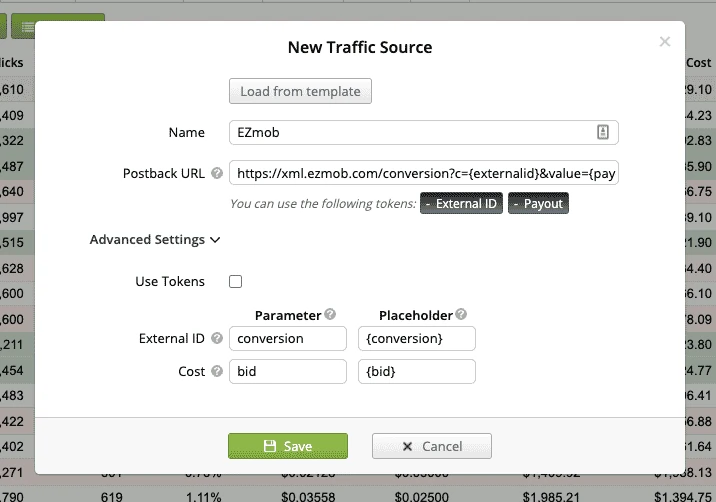
Open Traffic Sources → Create → Load from template. Search for your platform: PropellerAds, RichAds, TikTok Ads, Google Ads, Taboola, or any of dozens supported.
Tick the Use Tokens box so Binom captures publisher IDs, OS, device, GEO, and zone variables automatically. Tokens give you the granular data needed for bid optimisation later.
| Token | Purpose |
|---|---|
| {zoneid} | Publisher placement |
| {os} | Operating system |
| {device} | Mobile or desktop |
| {country} | GEO targeting |
Save and your traffic source integration is live with full macro replacement support.
Step 3: Building an Offer with Postback Click ID
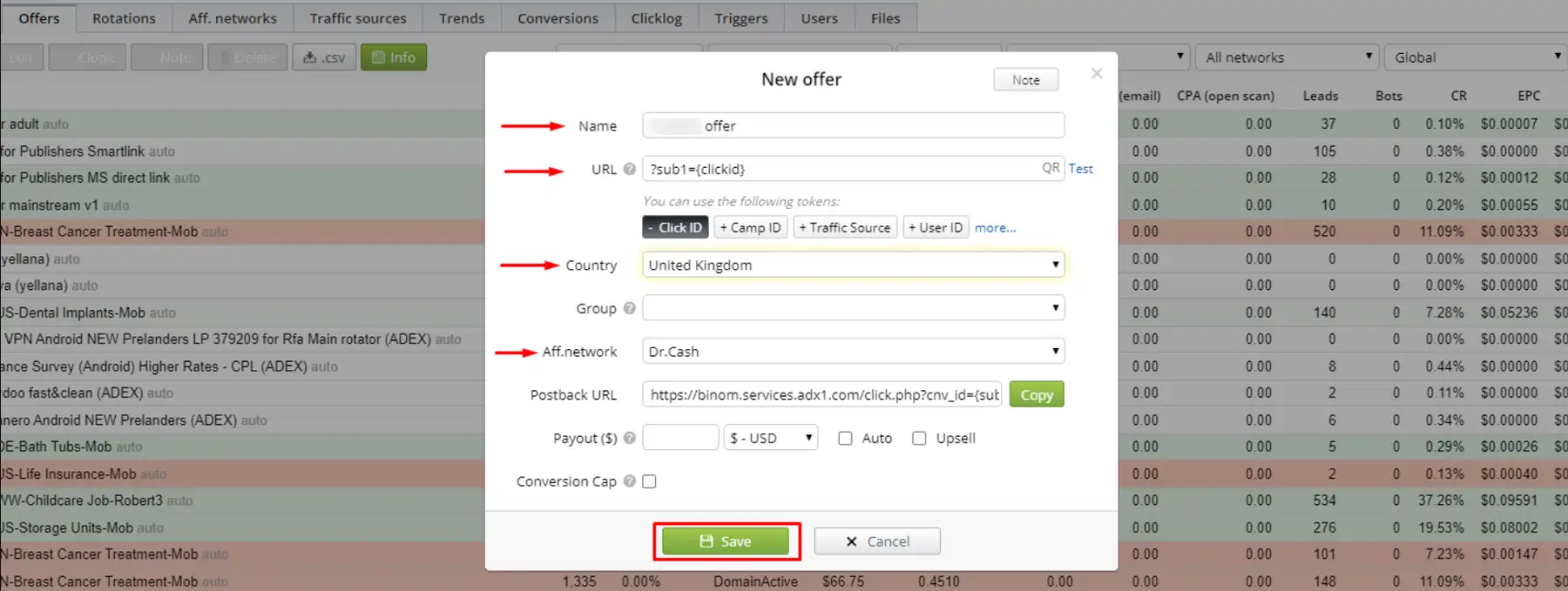
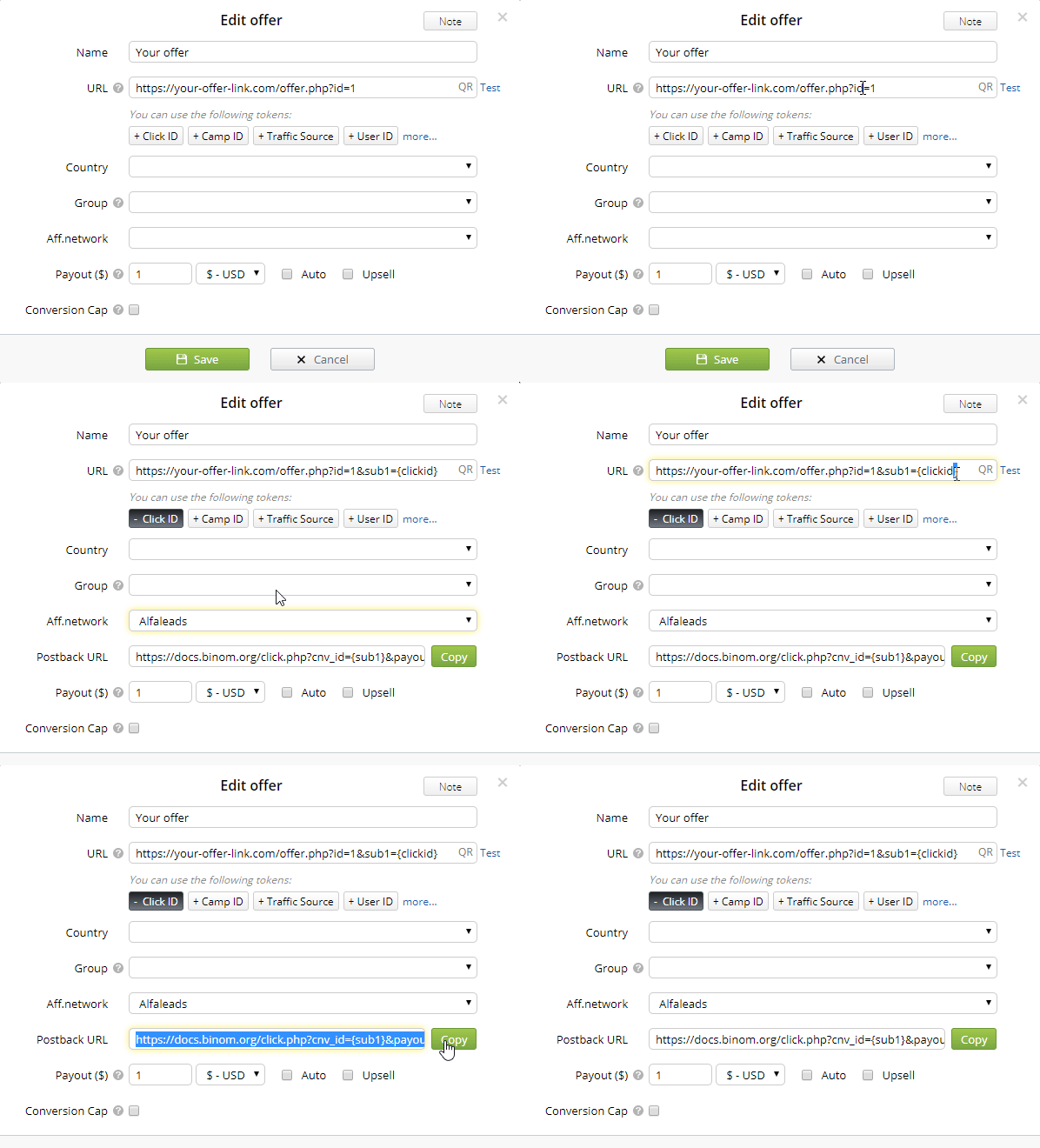
Go to Offers → Create. Paste your unique offer link from the network into the URL field.
Add {clickid} after &s2= so Binom can fire server-to-server postbacks when a conversion happens. Some networks block s1 for click IDs, so always default to s2.
Final URL pattern looks like:
http://network.com/?a=14857&c=63877&s2={clickid}Pick the country, group, and select the affiliate network you just created. Tokens auto-append from your template. Save the offer.
Wiring the Postback URL Back
Now copy your postback URL from Settings → Tracking Links. Replace {network_token} with #s2# so your network can fire back the matching click ID.
Swap {payout} with #price# and tick Auto in the offer for dynamic payout sync. Paste this final string into the network's postback field.
Step 4: Uploading a High-Converting Landing Page
Open Landings → Create. Upload your HTML files via FTP or paste the hosted URL if the lander lives on another domain.
Copy the Click URL from Settings and embed it in every CTA button on your lander. Without this link, traffic flows to the lander but never reaches the offer.
Step 5: Building the Campaign with Paths and Rules
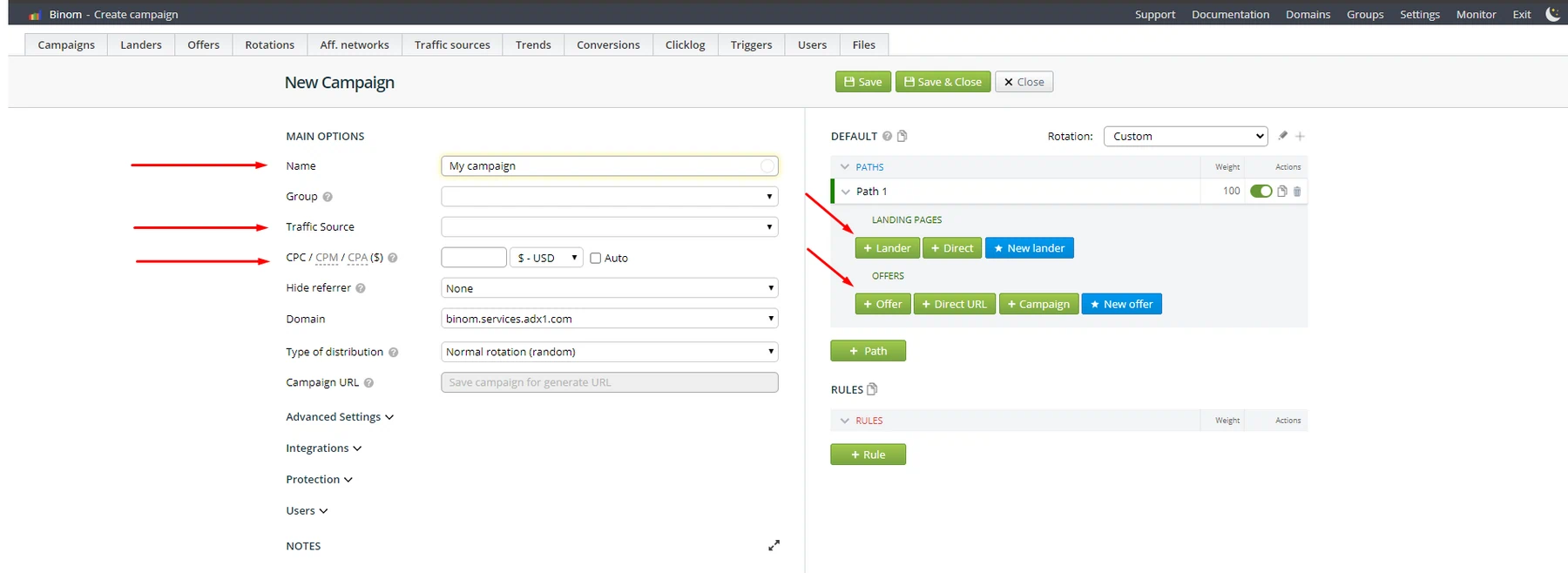
Click Campaigns → Create. Enter a name, group, and pick the traffic source from Step 2.
Set cost per click using CPC, CPM, or CPA models. You can adjust costs later through the Update Costs feature once real data flows in.
Configuring Traffic Distribution Paths
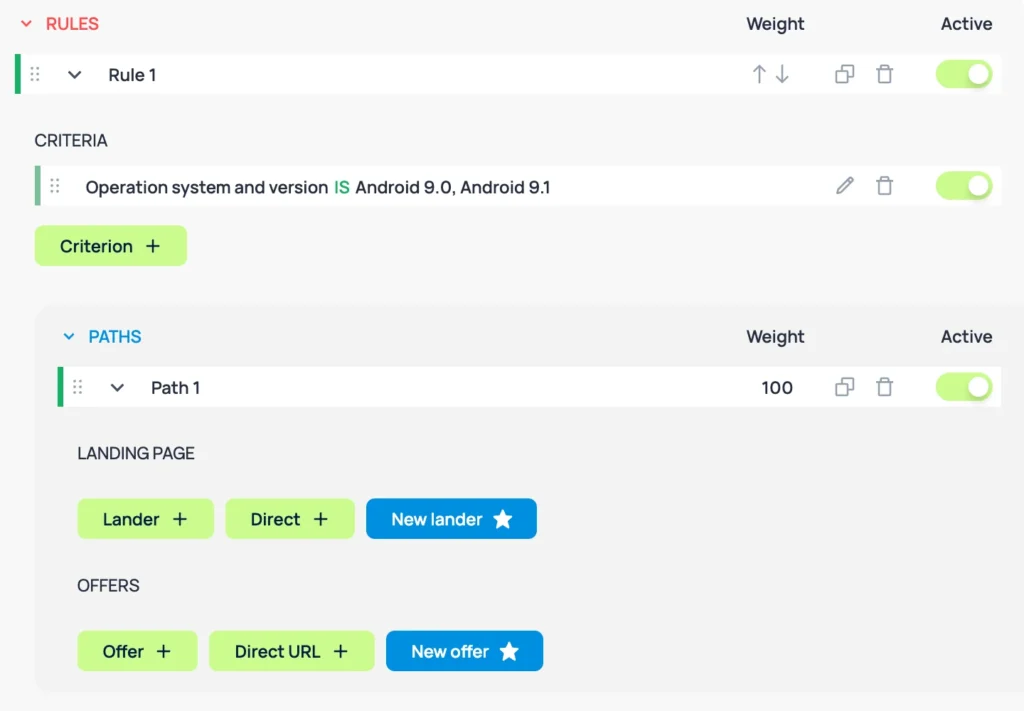
Click + Lander to attach the landing page, then + Offer to chain the offer into the path. For direct linking, hit + Direct instead.
Add multiple paths for split testing rules based on GEO, device, OS, or browser. Example: Tier 1 mobile users see Lander A, while desktop visitors see Lander B.
| Path Element | Function |
|---|---|
| Lander | Pre-sell page |
| Offer | Conversion endpoint |
| Direct URL | Bypass mode |
| Rule Filter | Audience split |
Click Save in the header to lock the campaign.
Step 6: Generating Your Final Campaign Tracking URL
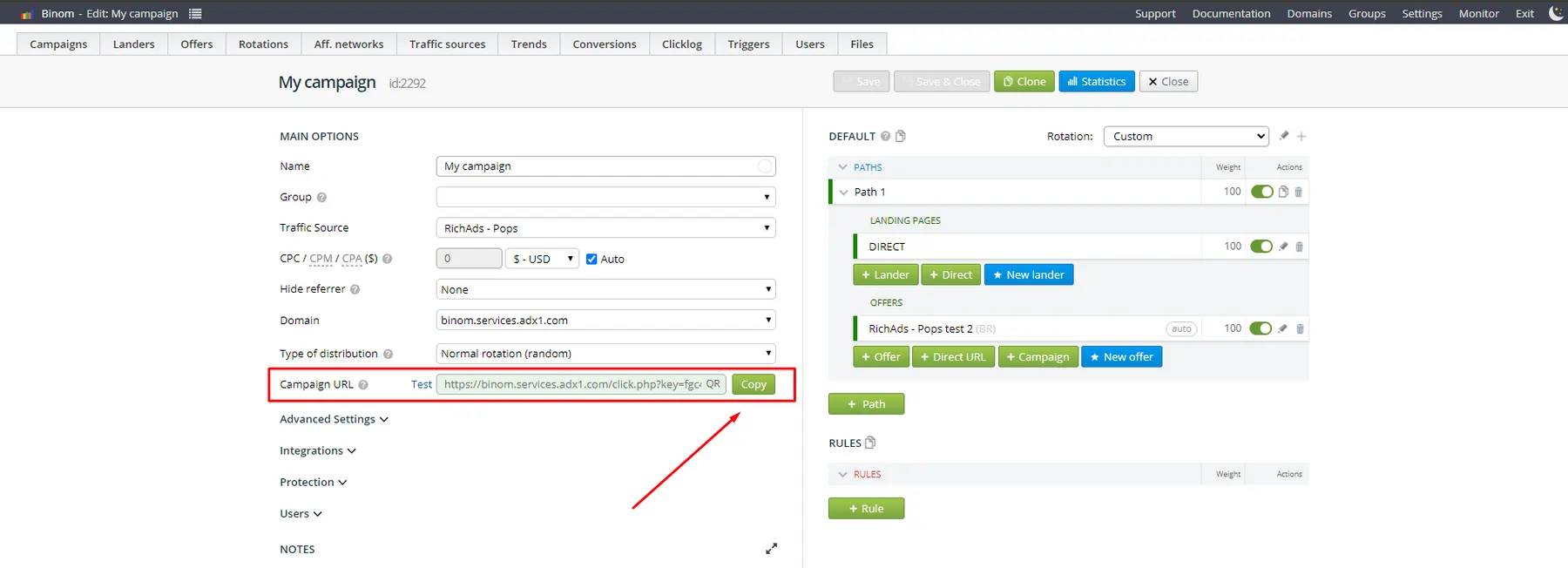
After saving, Binom auto-generates a link inside the Campaign URL field. That string is what you paste into your ad network as the destination URL.
Append source tokens like &zone={zoneid}&pub={publisher_id} so granular data populates inside Binom reports. This is the moment your click attribution tracking goes live.
text
https://yourtracker.com/click?key=abc123&zone={zoneid}
Test once by clicking the link yourself. If a click logs in Reports, your end-to-end tracking funnel works.
Verifying the Conversion Loop End-to-End
Send a test conversion through the network's test panel or via manual postback fire. Within seconds, Binom should log a conversion against the same click ID.
If nothing fires, check three things: token mismatch in the offer URL, IP whitelist blocking the network, or wrong postback macro. Most failures trace back to the s1 versus s2 parameter swap.
Smart Defaults to Set Right Now
Lock these settings before scaling spend:
These four toggles protect your data integrity and prevent inflated click counts from skewing CPA math.
Scaling Beyond Your First Campaign
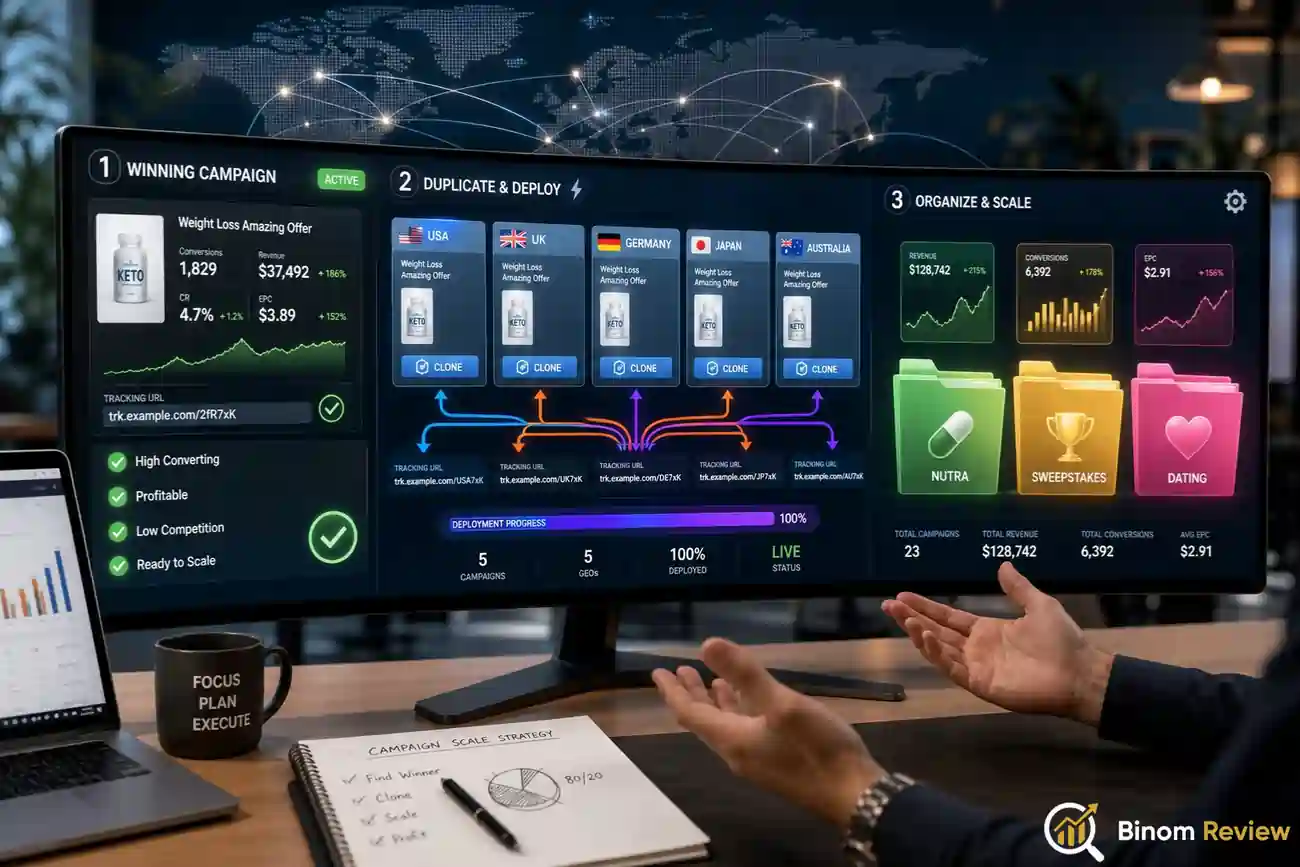
Once one campaign tracks cleanly, duplicate it for new GEOs using Clone Campaign. Swap the offer, adjust the rule path, and a fresh tracking link drops in seconds.
Use Groups to organise verticals like nutra, sweepstakes, or dating offers separately. Reports become easier to slice when groups stay tight.
Frequently Asked Technical Questions
How does Binom handle click ID token replacement during redirects?
Binom replaces {clickid} with a unique hash at redirect time, then maps it across server-to-server postback calls so conversions sync without browser cookies or third-party pixels firing.
Can Binom track conversions without browser cookies enabled?
Yes, Binom uses server-side click attribution through unique click IDs passed in URL parameters, making tracking GDPR-friendly and compatible with iOS 17+ private relay restrictions on cookies.
Does Binom support multi-path A/B split testing within one campaign?
Path-based rules let you split traffic by GEO, device, OS, or weight percentage, enabling landing page split tests and offer rotations inside a single campaign tracking link.
How do I integrate Facebook CAPI with Binom for iOS traffic?
Configure a conversions API bridge using Binom's postback to forward events to Facebook's server endpoint, matching click IDs with fbclid parameters for accurate attribution on iOS 14.5+ users.
Can I send postbacks to multiple destinations from one Binom offer?
Yes, Binom supports forwarding postbacks via Settings > Postback Forwarding, letting you push conversion pings to ad networks, Facebook CAPI, and analytics tools simultaneously without breaking attribution.
Final Thoughts on Your Binom Launch
Ten minutes of focused setup unlocks a tracking infrastructure that media buyers pay thousands monthly for elsewhere.
Binom's template library, token automation, and path-based rules give beginners enterprise-grade attribution without a learning curve.
Your first tracked campaign is now logging clicks, syncing payouts, and feeding data ready for bid optimisation decisions.
Treat it as a foundation, then layer in multi-offer split tests and GEO-based rule paths as volume grows.